learnCharacters
How to make part 2 of an AI story video with the same character
The part-2 handoff: reuse the reference sheet, match the last frame of part 1 to the first frame of part 2, and the credit math for a six-scene follow-up.
by reeldouble · October 15, 2026 · 8 min read
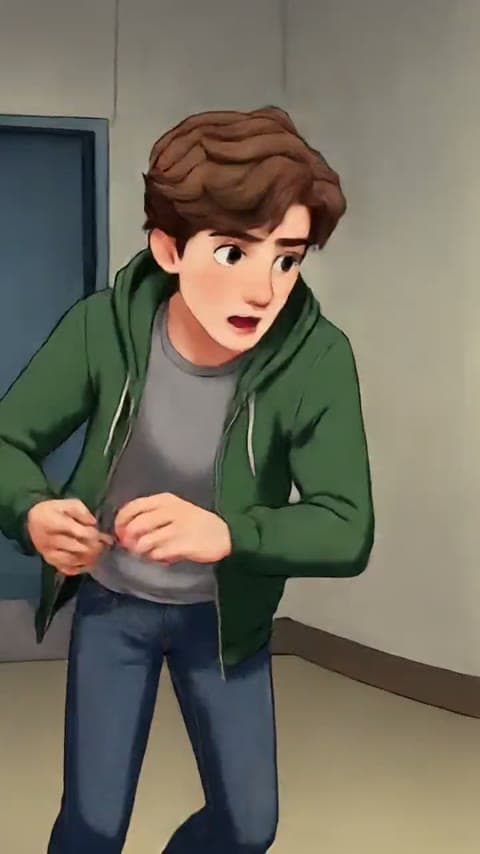
Here is the question I get every week. Part 1 of my AI story has four million views, people are asking for part 2 in the comments, I open the engine again — and the character is wrong. The hair sits different. The eyes are the wrong shade of brown. The jaw is one notch off. The audience doesn't know why but they can tell, and the comments on part 2 are a quarter of what part 1 did.
Part 2 is not a new story. It is the same story, continued. The audience is giving you the one gift a new creator cannot buy: they already care who the character is. If the face slides between episodes you spend part 2 earning that care back instead of spending it.
I run a studio with five engines in it and I ship serialized character videos every week. Here is the exact workflow I use to make part 2 — and part 3, and part 4 — with the same character as part 1, including the one step every tutorial skips and the credit math nobody prints.
The three artefacts part 2 must inherit
Part 1 left three artefacts on your drive. Part 2 is only as consistent as the one you forgot to save.
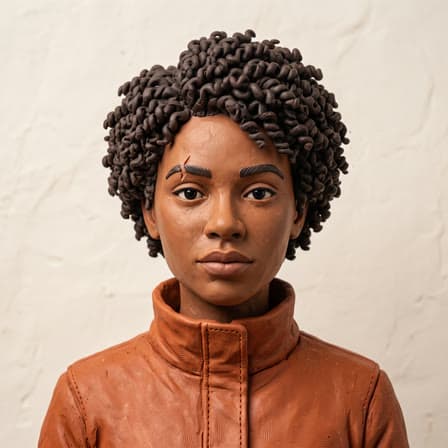
1. The reference sheet. The nine-panel character grid you generated at the start of part 1. One frontal face, four body angles, four expressions. If this image survived to part 2, you have an identity. If you deleted it or let a cloud session expire, every tutorial from here is downstream of regenerating it, and regenerating a nine-panel grid that matches an existing character to the pixel is close to impossible. Save the sheet in a folder named after the series the day you make it.
2. The identity prompt. The paragraph that describes the character literally: name, age, build, hair down to the texture, eye colour, skin tone, every item of clothing with its colour, every accessory, posture. One paragraph, written once, pasted into every scene of part 1 without a word changed. If this is in a text file next to the reference sheet, part 2 is simple. If it isn't, open the engine's history, find the first shot of part 1, copy the prompt out before whatever rolling-history window the engine runs on expires.
3. The last frame of the last clip of part 1. This is the one everybody forgets, and it is the hinge of the whole workflow. The frame your audience last saw of your character is the frame you need part 2 to open on. If your character looked right in that frame, part 2 inherits a known-good state. If she looked slightly off, part 2 compounds the drift. Pull a still from the final clip of part 1 at the exact beat the clip ends on — not thirty seconds in, the last visible frame — and save it with the series.
Three files. Reference sheet. Identity prompt. Last frame. If you have those, part 2 is a workflow. If you don't, part 2 is a prayer.
The six-scene handoff
Call part 2 another 90-second story: six scenes, roughly fifteen seconds each. Here is how I shoot it so the audience never notices there was a gap.
Step 1. Re-mint the character sheet from the three artefacts. Open the image model, paste the identity prompt, drop the last frame of part 1 into the reference slot, and generate a new nine-panel sheet. This is not the same as the part-1 sheet; it is a fresh sheet that inherits the end-state of part 1. You will use it as the master reference for every scene of part 2. The cost in the studio is twenty credits — one character sheet, flat — and it is the single most important twenty credits you'll spend on the whole episode.
Step 2. Match the first frame of scene 1 to the last frame of part 1. This is the step every tutorial skips. The audience's eye is already carrying the last frame of part 1. If part 2 opens on a frame that doesn't match it, the cut announces itself. So I generate the first frame of part 2's opening scene with two inputs: the new reference sheet, and the last frame of part 1 as a composition reference. Same lighting direction, same wardrobe, same posture if the character hasn't moved. The audience should feel like part 2 starts a half-second after part 1 ended.
Step 3. Write the identity prompt again at the top of every scene. Not from memory. Copy and paste the exact string you used in part 1. If the wardrobe changed between parts — a time jump, a new costume — write a second identity string and use it; do not edit the first one. Part 1's character is the same character wearing something different now, which is a job for a prompt the shape of the first one, not a rewrite.
Step 4. Pick an engine per shot, same as part 1. Three engines on the shelf serve a serialized character, and they fail in different ways. Kling O3 Pro is the one I reach for when the character is doing a specific thing with the camera moving around her: it takes up to five element references and holds the character across pans and dolly shots, with one shot capped at fifteen seconds. Seedance 2.5 is the one I reach for when I need one continuous shot longer than fifteen seconds — up to thirty, up to thirty image references, and it will carry a conversation beat without an in-camera cut. Veo 3.1 Fast is the one I reach for when the shot has to arrive at a specific expression: three references, clips of four, six or eight seconds, and a reference render is always eight. If a scene of part 2 echoes a shot type I used in part 1, I use the same engine I used last time; same tool, same output distribution, same identity.
Step 5. Render clip by clip with the full stack. Reference sheet, identity prompt, both frames of the clip (the opening frame generated for this scene and the closing frame as the "last frame" input where the engine supports it). Short clips: five to eight seconds, almost never twenty. The longer the clip, the more room the model has to wander. The audience's eye compounds drift across six scenes — the character has to come out of scene six looking like the character who went into scene one.
Step 6. Stitch and audit against part 1. Lay the clips on a timeline, play the last five seconds of part 1 followed by the first five seconds of part 2 at normal speed, then at quarter speed. If the face shifts across the cut, replace the first clip of part 2. Do not fix it in post. Re-render. A character that looks a half-degree different in part 2 is a character the audience trusts a little less in part 3.
The credit math nobody prints
Part 2 is cheaper than part 1 because you already own the identity. Here is what I actually spend on a 90-second part 2, inside the studio, in credits.
| step | credits | note |
|---|---|---|
| new reference sheet (re-mint from last frame of part 1) | 20 | one-time, flat |
| six opening frames (one per scene) | 120 | 20 per sheet, generated as single-image renders |
| six 15-second voiced Kling shots at 720p | 2,700 | 30 credits/s × 15s × 6 |
| one retake per three scenes (two retakes) | 900 | the realistic rework budget |
| final export, 9:16 MP4 | 20 | flat, same as a sheet |
| total | 3,760 | voiced, Kling-heavy build |
On the Lite plan at a hundred credits a dollar, that is $37.60 of credits for a finished 90-second part 2. On the Creator plan where credits are 0.75 cents, the same build is $28.20. A new creator starting at part 2 cold — no identity banked, nothing to inherit — would spend the same 3,760 plus another 20 for the first-pass reference sheet and however many retakes it takes to land the character the first time. The handoff saves you the identity cost and all its retakes.
Switch Kling for Seedance 2.5 for the signature shot of the episode, the one everybody will clip, and that one scene jumps from 450 credits to 1,350. On a six-scene build I spend the premium on one scene only; the rest run on Kling or Veo at a third of the price.
What goes wrong, and what to do
The three failures I see on part 2, in order of frequency.
The face is close but not quite. Open the new reference sheet next to the part-1 sheet on the same screen. Nine times out of ten the drift is on one feature — the jawline is slightly broader, the eyes a shade lighter. Narrow the identity prompt: describe that one feature twice and trim the rest. Give the model less to parse and more to anchor on.
The wardrobe shifted. The identity prompt names each piece of clothing in part 1, but something in part 2 came back in a different colour. The fix is almost always that the colour description was fuzzy ("blue jacket") when it should have been exact ("navy blue denim jacket with silver buttons"). Rewrite the clothing section of the identity prompt once; use the rewritten version from scene one of part 2 forward.
The opening cut is wrong. The first frame of part 2 doesn't match the last frame of part 1. Fix the frame, not the clip. Regenerate the first frame of scene 1 with the last frame of part 1 as a stronger reference weight — a stricter composition match, same lighting. Re-render the scene from there.
The honest part
Our 9.7 million views across thirty days on @cevrico came from running this exact serialized workflow: a character the audience met in part 1 and kept meeting in part 2, three and four. The parts are what the comments on the first video ask for; they are also what makes the second video land, because the audience doesn't have to re-decide whether they like your character. They already decided.
Our own results, not a projection; yours will depend on what you build. A free account comes with 300 credits — the new reference sheet, two opening frames and a four-second draft of the opening scene, before you spend a dollar on part 2.