learnBy use case
AI video for education: one locked teacher character across a lesson series
How we build a lesson series with one AI teacher who looks and sounds the same every week: the setup, the shot plan per lesson, the accuracy rules and the credit budget.
by reeldouble · October 30, 2026 · 7 min read
What a lesson series needs that a single video does not
Making one educational AI video is easy now. Making the twelfth one, with the same teacher, the same voice and the same look as the first, is the hard part, and it is the part that matters. Learners come back to a person. A presenter who changes face or voice between lessons reads as twelve unrelated clips, not a course.
The pages that rank for this search, mostly from AI video vendors, agree on the principle: create the character once, reuse it, keep one voice and one style. They do not say which engine to use for which kind of shot, how to stop an AI from writing a wrong number on the board, or what a week of lessons costs. This page does, using the workflow we run for our own series.
The setup, once
Everything here is done once, before lesson one, and reused for the whole series.
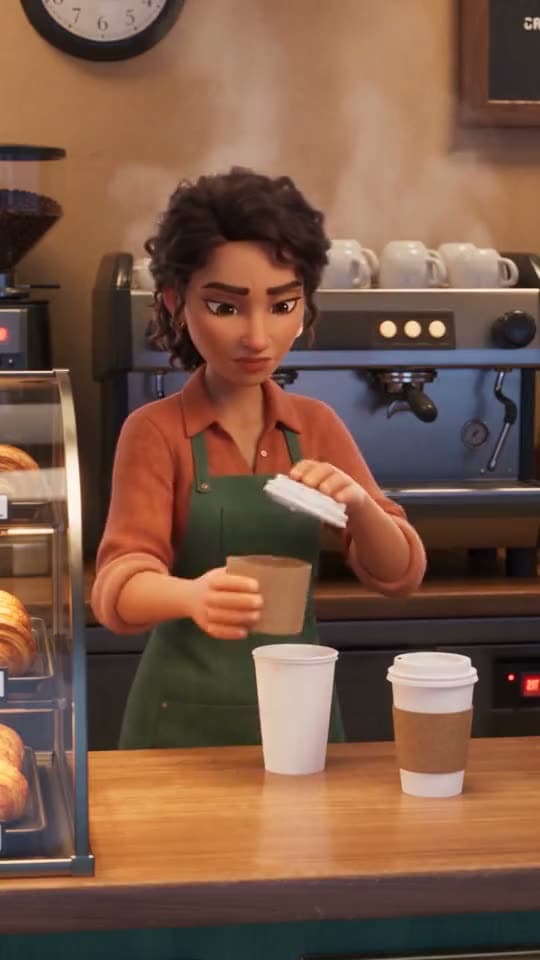
1. The teacher character. Decide the look first: a 3D animated character like the clay fox baker on this page, a friendly cartoon, or a realistic presenter. Animated teachers work especially well for younger learners and for subjects where a mascot helps (a fox who teaches fractions through baking). We make the teacher as a character sheet: a front view, a three-quarter view and a full body, on a plain background. That costs 30 credits, once.
2. The voice. Pick one voice and never change it. If the teacher is you, and you want your own voice on the character, a voice clone is made once for 50 credits and reused on every render. Our same voice across episodes guide covers how to keep it steady.
3. The class, if you need one. Students who recur get sheets too. Kling O3 Pro takes up to 5 characters in one scene, which is the teacher and four students. Seedance 2.5 takes up to 30, for a whole classroom.
4. The set. One line describing the classroom or kitchen or lab, copied into every prompt word for word. A consistent room does as much for continuity as a consistent face.
The shot plan for one lesson
We keep lessons to 60 seconds for short-form platforms, and to a small fixed shape so every lesson is quick to write:
| shot | what happens | length |
|---|---|---|
| 1 | the teacher asks the question the lesson answers | 4 s |
| 2 | the teacher explains the idea, to camera | 15 s |
| 3 | a worked example, acted out (the fox halves a cookie) | 15 s |
| 4 | the teacher explains the example | 15 s |
| 5 | a check question for the viewer | 8 s |
| 6 | the answer, and what is next | 3 s of the last clip, rendered at 4 |
That is 61 seconds billed: 4 + 15 + 15 + 15 + 8 + 4. At 2.5 words a second, the teacher has about 140 words of script, which is a lot less than most teachers expect. One idea per lesson, not three. Our script length per shot guide has the word budget for every clip length.
The accuracy rule: never let the engine write the numbers
This is the most important thing on this page. Video engines are good at faces, motion and light. They are unreliable at text. Ask for "a chalkboard showing 3/4 + 1/8 = 7/8" and you may get a board with the wrong digits, or digits that change between frames. In a lesson, a wrong number on screen teaches the wrong thing.
So we split the work:
- The engine renders the picture: the teacher pointing at a board, the fox holding up half a cookie. We prompt for "a blank chalkboard" or "a board with chalk marks, no readable text".
- The words and numbers go on in the edit, as captions or titles, where we type them and can check every character.
- The teacher says the numbers out loud, and we listen to every take before it goes into the cut. A voiced line can be misread as easily as a written one.
Captions cost 8 credits per started minute of audio, and they are free on Creator plans and up. A 60-second lesson is one minute.
Which engine for which shot
| shot type | engine we use | why |
|---|---|---|
| teacher speaking to camera | Kling O3 Pro, voiced | 30 credits a second, the cheapest voiced second for a locked character |
| acted example with motion | Seedance 2.0 at 720p | 45 credits a second, richer motion, up to 9 characters |
| classroom with many students | Seedance 2.5 at 720p | 70 credits a second, up to 30 characters |
| short silent cutaway (a cookie, a diagram prop) | Veo 3.1 Fast, silent, no character | 20 credits a second, 4 to 8 seconds |
Seedance bills the same voiced or silent, so if an example shot carries the teacher's voice-over, it costs the same either way.
The credit budget for one lesson
Using the shot plan above, with the teacher on Kling and the acted example on Seedance 2.0:
| shot | engine | length | credits |
|---|---|---|---|
| 1 question | Kling O3 Pro, voiced | 4 s | 120 |
| 2 explain | Kling O3 Pro, voiced | 15 s | 450 |
| 3 example | Seedance 2.0, 720p | 15 s | 675 |
| 4 explain example | Kling O3 Pro, voiced | 15 s | 450 |
| 5 check question | Kling O3 Pro, voiced | 8 s | 240 |
| 6 answer | Kling O3 Pro, voiced | 4 s | 120 |
| total | 61 s | 2,055 |
With our usual retake allowance of half again, plan on about 3,100 credits a lesson. If the whole lesson stays on Kling, with the example acted by the teacher alone, the same 61 seconds is 1,830 credits, about 2,750 with retakes.
The weekly budget
| cadence | lessons a week | credits a week (with retakes, mixed engines) | credits a week (all Kling) |
|---|---|---|---|
| light | 1 | about 3,100 | about 2,750 |
| regular | 2 | about 6,200 | about 5,500 |
| daily school week | 5 | about 15,500 | about 13,750 |
The one-time setup (teacher sheet 30, voice clone 50, a few student sheets at 30 each) is small next to any of these. Credits you buy do not expire, so a quiet week leaves its credits for a busy one.
Two ways we bring these numbers down without hurting the lesson:
- Draft on the cheap engine first. Test a new example scene at Seedance 2.0 480p (22 credits a second) before rendering it at 720p.
- Reuse the openers. If every lesson starts with the same 4-second greeting, render it once and cut it onto every lesson.
What we would not use AI teachers for
- Anything where the exact wording is assessed, like a definition students must memorise word for word. Record that line yourself and lay it over the clip.
- Lab safety or medical procedures. An AI hand holding a beaker the wrong way is a lesson nobody should learn.
- A real, named teacher's face without their permission, including your colleagues'. Make a character instead.
Where to start
Build the teacher first and render shot 1 of your first lesson: the question, 4 seconds, voiced. If the face, voice and room feel right, the rest of the series is that, repeated. You can make the teacher and render the first question in the studio; a free account starts with 300 credits, which covers the sheet and two 4-second voiced takes.
If your lessons are for a coaching business rather than a classroom, our AI video for coaching guide covers that version of the same workflow.
FAQ
Can teachers use AI video for lessons?
Yes. Make one teacher character, keep one voice, and render each lesson as five or six short clips. On ReelDouble the same character carries across every lesson and every engine.
How do I keep the same AI teacher in every video?
Make the teacher a character sheet once and attach it to every scene, with the same voice and the same room description in every prompt. ReelDouble sends the same references to every engine.
Can AI video show math or text correctly on a board?
Not reliably. Engines often get on-screen digits and letters wrong. Prompt for a blank board and add the numbers as captions or titles in the edit, where you can check every one.
How much does a 60 second AI lesson video cost?
On ReelDouble a 61-second lesson with the teacher on Kling O3 Pro and one acted example on Seedance 2.0 is 2,055 credits, or 1,830 all on Kling. We budget about 3,100 credits including retakes.
What is the best AI video style for kids' lessons?
A 3D animated or cartoon teacher, like an animal mascot, works well for younger learners. Pick one style and keep it for the whole series, because a style change reads as a new show.