learnGetting started
AI video shot types: which framing holds your character, and what five shots cost
Wide, medium, close-up, over-the-shoulder and insert: the prompt line for each, which one keeps a saved character's face, and the credits for a five-shot set.
by reeldouble · November 7, 2026 · 6 min read
What the shot-type lists leave out
Every guide on page 1 for this search teaches the same words. Google's own Veo prompt guide defines a wide shot, a close-up and an over-the-shoulder shot. Luma gives a template for over-the-shoulder. Vidu and Pencil both warn against stacking several angles in one clip. All of that is right, and we use it.
What none of them say is what each framing does to a character you have to keep for a whole series. In a close-up the face fills the frame; in a wide shot it can be a small patch near the bottom of it. We render recurring characters on five engines, so this page ranks the shot types by how well they keep a saved face, gives the line we write for each, and prices a five-shot coverage set on every engine we run.
Why framing changes the lock
A character reference works by giving the engine a face to match. The bigger that face is in the frame, the more detail the engine has to match against. Higgsfield's guide puts the danger zone at a face filling less than about 20% of the frame. That is a vendor's rule of thumb rather than a lab result, and we use it as one.
FilmDaft's workflow guide makes the opposite point about the other end. Medium shots are often easier to keep than extreme close-ups, because an extreme close-up crops out the hair, the collar and the outfit, which are the cues that tie one shot to the next.
The shot types, ranked for a saved character
| shot | how much face | how well it holds | how we use it |
|---|---|---|---|
| medium (waist up) | face and outfit both clear | best all-rounder | the default for any shot where the character acts |
| close-up (head and shoulders) | face fills the frame | strong on the face | emotion, reactions, dialogue lines |
| over-the-shoulder | one face, one back of head | drifts toward a medium | conversations, with one person named as facing camera |
| extreme close-up (eyes, mouth) | part of the face | holds the detail, loses the outfit | one beat, never two in a row |
| wide or full body | small face | weakest | place and scale; the outfit carries the identity |
| insert (hands, a prop) | no face | nothing to lose | cutaways and transitions |
We wrote a whole page on the weakest row: keeping a character in wide shots. The short version is to put the identity in the silhouette and the clothes, and keep the wide shot short.
The line we write for each
The shot type goes first in the prompt, before the character and the action, and there is only one per clip. The character goes in by their reference token: @Element1 on Kling O3 Pro, @Image1 on Seedance, and "image 1" on Veo 3.1 Fast.
Medium. "Medium shot, waist up, @Element1 standing at the counter, wiping a glass, eye level."
Close-up. "Close-up on @Element1's face, head and shoulders, she looks up from the glass, soft side light."
Over-the-shoulder. "Over-the-shoulder shot from behind @Element2, @Element1 facing camera and in focus, mid-sentence." Naming who faces camera is the part that matters. One creator reports this framing sliding into a plain medium between runs; telling the engine whose face it should be looking at gives it less room to slide.
Extreme close-up. "Extreme close-up on @Element1's eyes, they narrow slightly." Use it for one beat. Two extreme close-ups back to back leave the viewer with no outfit or hair to recognise.
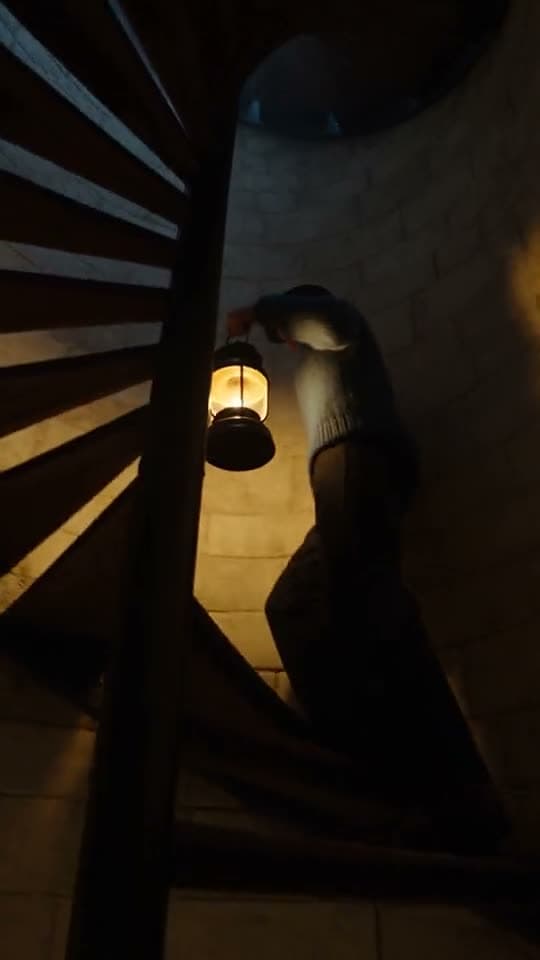
Wide. "Wide shot, full body, @Element1 walking alone down the empty pier at dusk, red coat, small in frame." The coat is doing the identity work here, so it gets named.
Insert. "Insert, close on hands sliding a key across the bar, red coat sleeve in frame." No face, so no reference needed. Name the sleeve so it matches the shot around it.
Order the batch by framing, not by story
Luma's character guide reports more consistent results when shots are generated grouped by visual similarity: all the close-ups together, then all the wides. We do the same in the studio, then cut in story order afterwards. Rendering the close-ups first also tells you early whether the character holds at all, before you spend on the weaker framings.
What a five-shot coverage set costs
A coverage set is the five shots that cover one moment: a wide to place it, a medium for the action, a close-up for the reaction, an over-the-shoulder for the exchange, and an insert. Here it is at 4, 6, 4, 6 and 4 seconds, which is 24 seconds of footage, with the character attached by reference.
| engine | rate per second | 24 s set | notes |
|---|---|---|---|
| Kling O3 Pro, voiced | 30 | 720 | 720p only; up to 5 characters |
| Kling O3 Pro, silent | 24 | 576 | |
| Seedance 2.0, 480p | 22 | 528 | a draft pass; 9 references |
| Seedance 2.0, 720p | 45 | 1,080 | sound on every clip |
| Seedance 2.0 Fast, 720p | 50 | 1,200 | |
| Seedance 2.5, 720p | 70 | 1,680 | up to 30 references |
| Veo 3.1 Fast, voiced, with references | 30 | 1,200 | billed as 40 s |
| Veo 3.1 Fast, silent, with references | 20 | 800 | billed as 40 s |
The Veo rows are the surprise. Veo serves 4, 6 or 8 seconds, and a render with references attached is always 8 seconds. So the five shots bill as 40 seconds, and the 4-second insert you planned comes back twice as long. On Veo we keep reference shots for the moments that can use all eight seconds, and render the insert without a reference at 4 seconds silent, which is 80 credits.
The cheapest way to cover the moment with a voiced character is Kling O3 Pro at 720 credits. The cheapest draft is Seedance 2.0 at 480p, 528 credits, which is what we use to check the framing works before the finish.
A working order
- Write the five shot lines, shot type first, one per clip.
- Render the close-up first. If the face fails there, fix the reference before anything else; our reference sheet guide covers the angles it needs.
- Render the medium and the over-the-shoulder next, then the wide, then the insert.
- Cut in story order.
In the studio each shot is its own scene card, and the quote under the render button changes with the engine and length, so the coverage set is priced line by line before anything renders. A new account starts with 600 credits, enough for the whole Kling silent set with 24 credits left.
For the move inside each shot, see camera movement prompts.
FAQ
What shot types can I prompt in an AI video generator?
Wide or full body, medium, close-up, extreme close-up, over-the-shoulder and insert shots all work if the shot type is the first words of the prompt. Use one shot type per clip; stacking several gives a frame that matches none of them.
Which shot type keeps an AI character's face consistent?
Medium and close-up shots hold a face best because the face is large in the frame. Wide shots are the weakest, so put the identity in the outfit and keep them short. On ReelDouble we render close-ups first to check the lock.
Why does my over-the-shoulder shot turn into a medium shot?
The engine often drops the foreground shoulder between runs. Name both characters by their reference tokens and say which one faces camera and is in focus, for example over-the-shoulder from behind @Element2, @Element1 facing camera.
How much does a five-shot AI video coverage set cost?
On ReelDouble, five shots totalling 24 seconds cost 720 credits on Kling O3 Pro voiced, 576 silent, and 528 on Seedance 2.0 at 480p. Veo 3.1 Fast with references bills every shot as 8 seconds, so the same set is 1,200 voiced.
Should I render AI video shots in story order?
Render in groups by framing, close-ups together and wides together, then cut in story order. Rendering the close-ups first shows early whether the character holds before you spend on the harder framings.